
A custom app
A tool built around your records, your team and the way the job needs to be done—not another workaround for software that doesn’t fit.
Scheduling · Internal tools · Business records
Services / Local, small & medium businesses
Build a tool that fits your business. Connect the systems you already use. Take a repetitive job off your team’s hands.
From a single automation to a custom business app. Start with the work you want to improve.
What Pathsum can help with
A spreadsheet you’ve outgrown. Tools that don’t talk to each other. An idea that needs a working app. There isn’t one answer for every business.
A tool built around your records, your team and the way the job needs to be done—not another workaround for software that doesn’t fit.
Scheduling · Internal tools · Business records
Move information between tools, prepare a regular report, or handle a repeatable email task. A useful improvement doesn’t have to be a large project.
Connected apps · Reporting · Email workflows
Find where AI can help with the problems that matter to your business. Start with the data you have and a clear way to tell whether the result is better.
Opportunity review · Diagnostic report · A plan to build
Selected work
Scheduling, invoice operations and training data systems built around the work.
01 / Scheduling
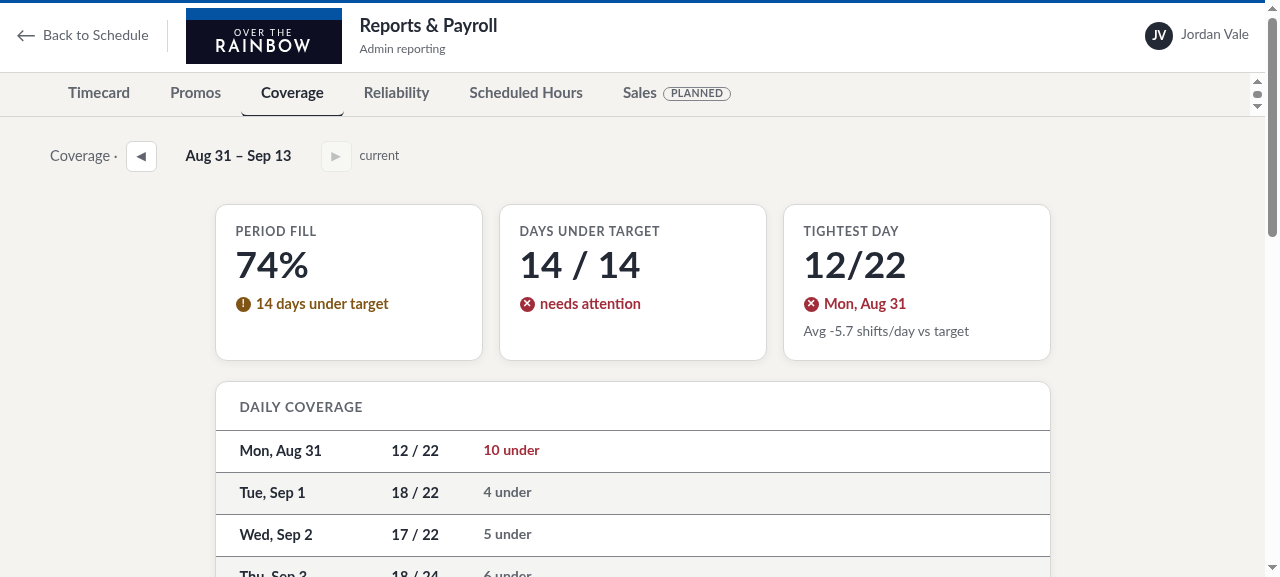
A custom scheduling system in live use for a client. The client reports a shorter scheduling task:
Live client systemTime spent on the scheduling task
about 15 minutes
Client-reported result for one business.
02 / Custom business system
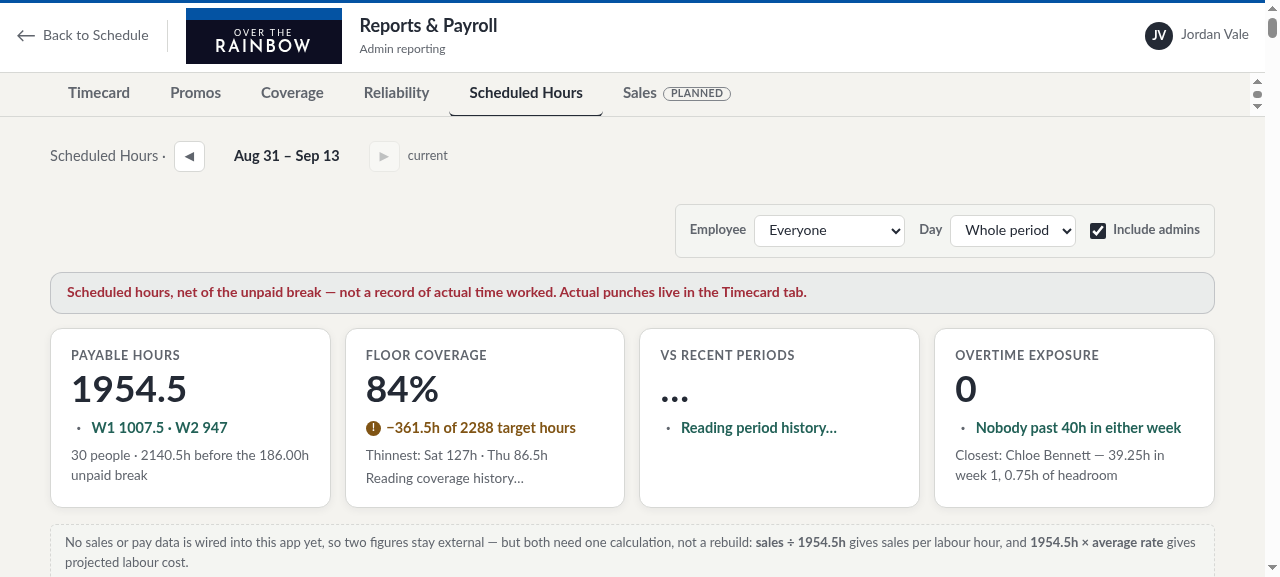
An invoice operations system that automates and tracks invoices, CRM, scheduling, costs versus earnings, projections, dynamic reports and more.
In live use03 / Training data system
Records and maintains client exercise history and SOAP-style clinical notes through passive audio recording. Training data and notes pass through a domain-specific database to verify context and provide tailored clinical advice and recommendations for practitioner review. A promptable generative UI dashboard shows KPIs and more.
In live useHow a project works
Start with the work your business needs to change. Scope, price and the way to check the result are agreed before a build starts.
Start with your ten biggest business problems. Look at the data available, the people doing the work and what a worthwhile improvement would mean. A diagnostic report sets out the recommended next step.
A problem understood. A recommendation you can use.
Agree what the system needs to do and how success will be tested. Then build, deploy and verify it against that scope, whether it’s one automation or a larger app.
A working system, checked against an agreed result.
The handover includes clear instructions and, when useful, training for the people who will use the system. Take it from there, keep Pathsum on to maintain, improve or expand the work, or come back later when a new need appears.
Your team can run it. Pathsum can stay involved when you need us.
No. Bring a problem, an idea or a task that takes too much time. The first job is to understand the work and decide what would help—not ask you to arrive with a technical specification.
No. Some jobs need AI; others need a connection between existing tools or a straightforward app. The choice follows the work.
Yes. Custom apps and automation services are separate from the pre-release PATHSUM software. You do not need Studio to discuss or commission a system for your business.
Scope, price and how the result will be checked are agreed before a build starts. Describe the task, the tools involved and the improvement you need so the work can be scoped.
No. Custom services are separate from PathLAB and PathPROOF. You don’t need to buy or use either product to discuss a project.

Have something in mind?
A task that takes too long. A process that keeps breaking down. An idea for a better tool. A short description is enough to start.
Discuss your projectinfo@pathsum.ca
Email opens in your mail app. No technical brief needed.